
Using the TV
Step-by-Step Guide to Using Amazon Fire Smart TVs at The Hideaway
Welcome to The Hideaway! We hope you enjoy your stay. Here's a simple guide to help you use the Amazon Fire Smart TVs available in the house, with specific instructions on accessing Diju Media.

Turn on the TV
Locate the remote control for the Amazon Fire TV.
Press the Power button at the top of the remote to turn on the TV.
Wait a few moments for the Fire TV interface to load.
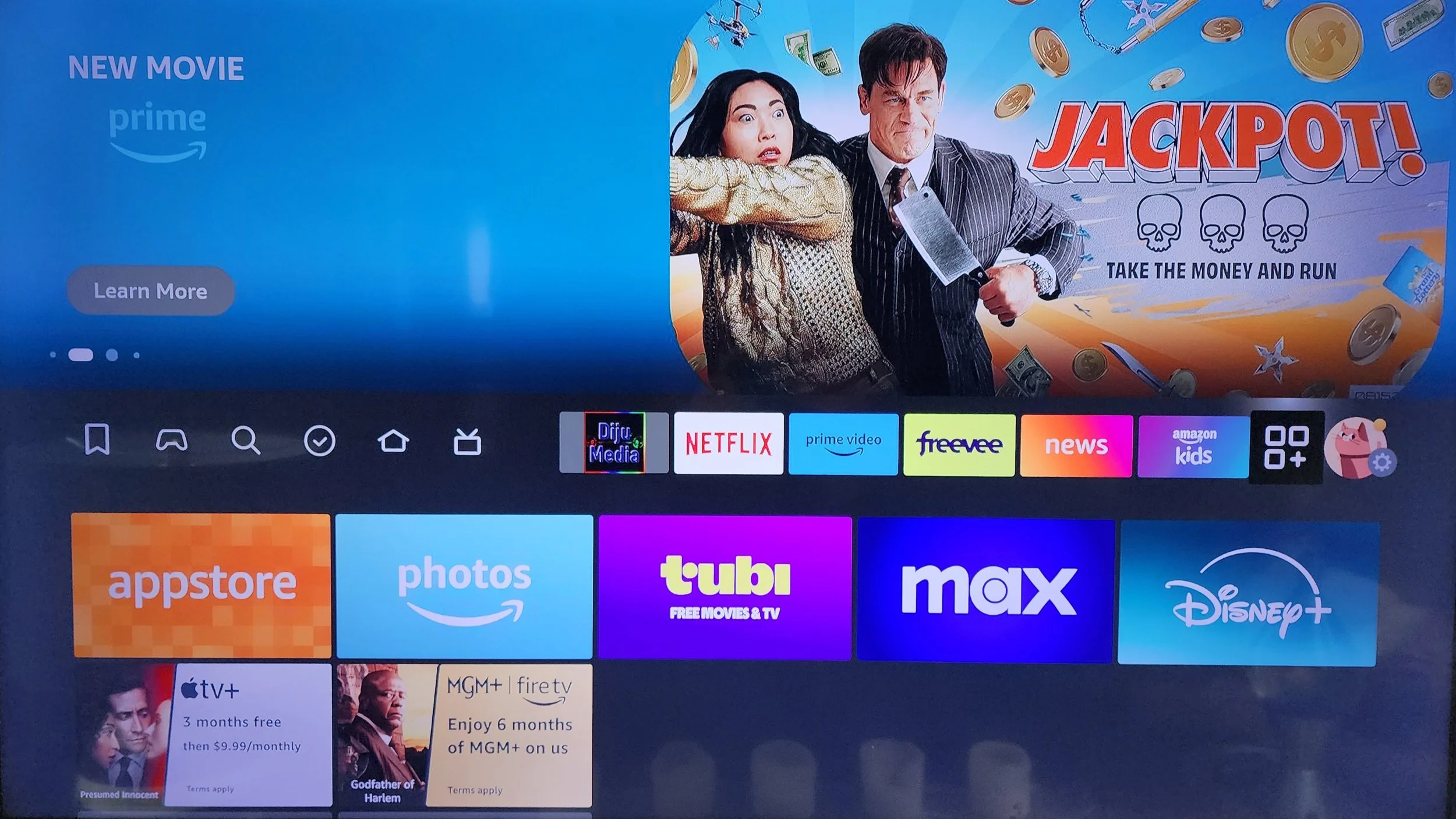
Navigate to "Your Apps & Channels”
Use the remote to navigate to the Your Apps & Channels section on the Fire TV home screen.
Scroll through the available apps until you find Diju Media.
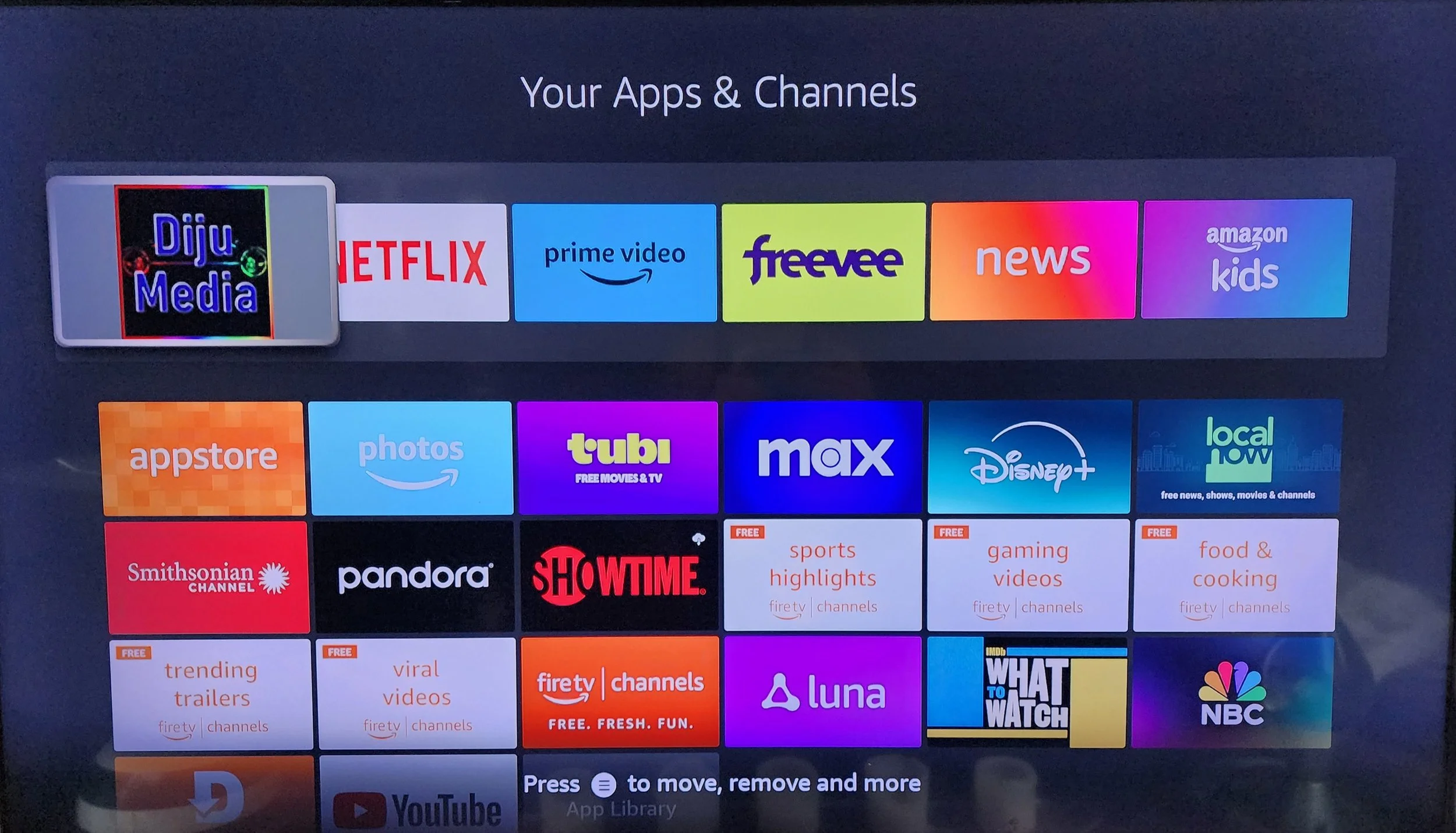
Navigate to Diju Media App and Select
Once you’ve located the Diju Media app, highlight it and press the Select button (middle circle on the remote) to open it.
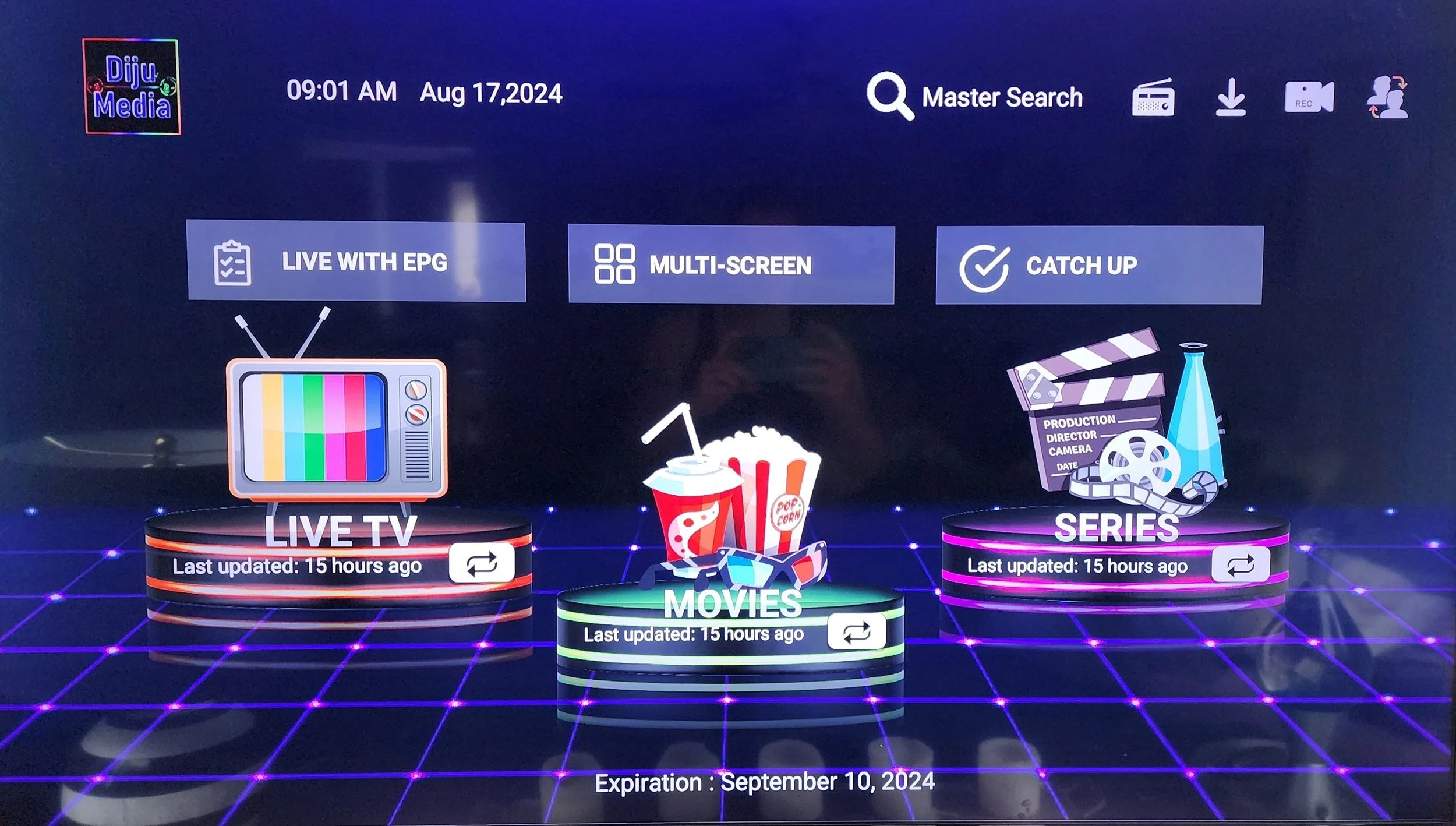
Select from Live TV, Movies, or Series
Inside the Diju Media app, you’ll see options like Live TV, Movies, and Series.
Use the remote to navigate to the desired category and press Select.
Browse the available content and choose what you’d like to watch.
